

Laser Cutting
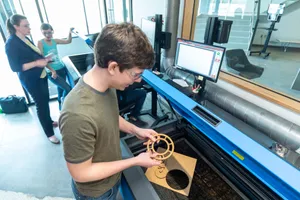
When it comes to rapid prototyping or creating a personalized gift, laser cutting is your best friend. Our laser cutters are located in the Production Studio on the first floor of the IDC.
Spots on the laser cutter come on a first come first serve basis with some exceptions. We do provide materials to some degree, but you are encouraged to bring your own, for most of the material we give is scrap from previous projects.
General Laser Cutting
Section titled “General Laser Cutting”CO2 laser cutters are the standard laser cutter that can cut and engrave a variety of materials, including wood, acrylic, paper, and cardboard. In some cases, they can be used to etch or mark metals. At The Hive, we have two CO2 laser cutters made by Universal Laser Systems Inc.
Universal PLS6.150D Laser Cutter Specifications
Section titled “Universal PLS6.150D Laser Cutter Specifications”- The Laser cutter’s bed is 32 inches by 18 inches, should you have something bigger, you can cut it down next door in the machine shop
- We have a rotary attachment to allow you to cut on curved surfaces
- While the laser cutter can accept any files that can be sent to a normal printer, vector format types work best
Internal Documents
Section titled “Internal Documents”Below are documents written for internal use by Peer Instructors, but are provided in case non-Peer Instuctors are interested in perusing.
- The CO2 Laser Standard Operating Procedure tells you how to use the Laser Cutter and the process of getting trained. Note that only Peer instructors have access to the machines.
- For more in depth detailed settings on how to use the more advanced settings on the laser cutter, click here
- To see our common errors and how to solve them, click here
We also have video tutorials if you don’t want to sift through the SOP or documents. The video tutorials will cover all the basics of the laser cutter, the documents have more niche topics that you may not be interested in. You can find the video tutorials here.
Metal Cutting
Section titled “Metal Cutting”Note: As of mid-2024, the fiber laser manufacturer (3D Fablight) has suspended their operations. Many of their official resources may be unavailable.
For cutting metals, a fiber laser cutter is best suited for the job. The Fablight 4500 is a noncontinuous fiber laser capable of cutting through quarter inch steel very quickly. In comparison to a plasma cutter, which The Hive previously had, fiber laser cuts are cleaner and can also engrave various metals such as mild/stainless steel, anodized/not anodized aluminum, brass, and copper. The machine is able to cut and engrave.
A fiber laser cutter is a focused beam of infrared down to .005” which will cut through metal. With a high pressure nozzle, the metal is melted and blown away. The laser is pulsed which means the laser is not continuous but will output higher power when it is on.
The FL4500 officially supports cutting steel, stainless steel, spring steel, aluminum, copper, brass, bronze, titanium, and more. At The Hive, we have material presets for ALUMINUM_6061 (0.006 - 0.25”), STAINLESS_304 (0.0025 - 0.188”), COPPER (0.025 - 0.048”), STEEL_CRS (0.008 - 0.25”), ALUMINUM_ANODIZED (0.04”), and BRASS (0.05”).
The machine is only suitable for metal, as wood and plastics will absorb the laser.
Technical Specs
Section titled “Technical Specs”For technical specifications for the FL4500, you may visit the manufacturer’s website.
The dimensions of the cutting bed is 50” x 25”.
The accuracy of the machine can be as +/-.002” per foot with kerfs being +/-.005” per foot.
For the most common materials, here are the maximum depths given:
| Material | Maximum Depth (in.) | Maximum Depth (mm) |
|---|---|---|
| Mild Steel | .250” | 6.35mm |
| Stainless Steel | .188” | 4.78mm |
| Aluminum | .188” | 4.78mm |
Standard Operating Procedures
Section titled “Standard Operating Procedures”FabLight’s operator’s manual can be found here. This document contains information for both operation and maintenance. FabLight also provides proprietary software and plugins, which are not publicly available.
Within our space, FabLight software is pre-installed the computer located directly next to the FL4500. FabCreator accepts DXF/DWG files and outputs FAB files, which are then loaded onto the FL4500 via USB drive.